Configure Your Site
Site-wide settings: branding, SEO defaults, social links, email. The values your frontend reads on every page.
Open Settings
Click Settings at the bottom of the sidebar. You'll see tabbed sections.
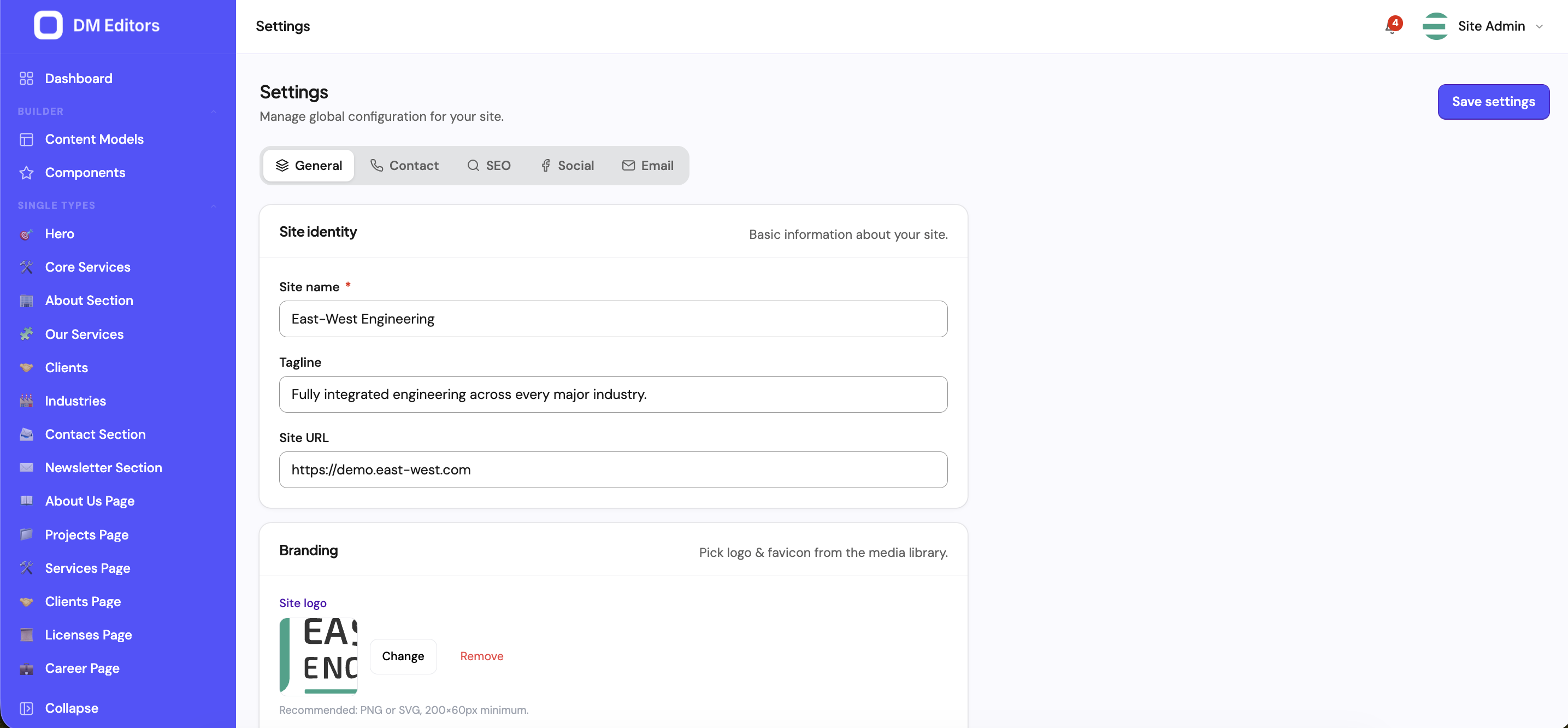
Site identity
The Site tab covers everything that says "this is who we are."
- Site name Appears in tab titles, OG previews, default email From name.
- Tagline Short pitch for hero sections and meta descriptions.
- Logo Click Choose file and pick from media. SVG works best; otherwise use a transparent PNG at 2× the largest display size.
- Favicon 32×32 PNG or ICO. The small icon shown in browser tabs.
- Default locale The language entries are created in when no locale is specified.
- Save
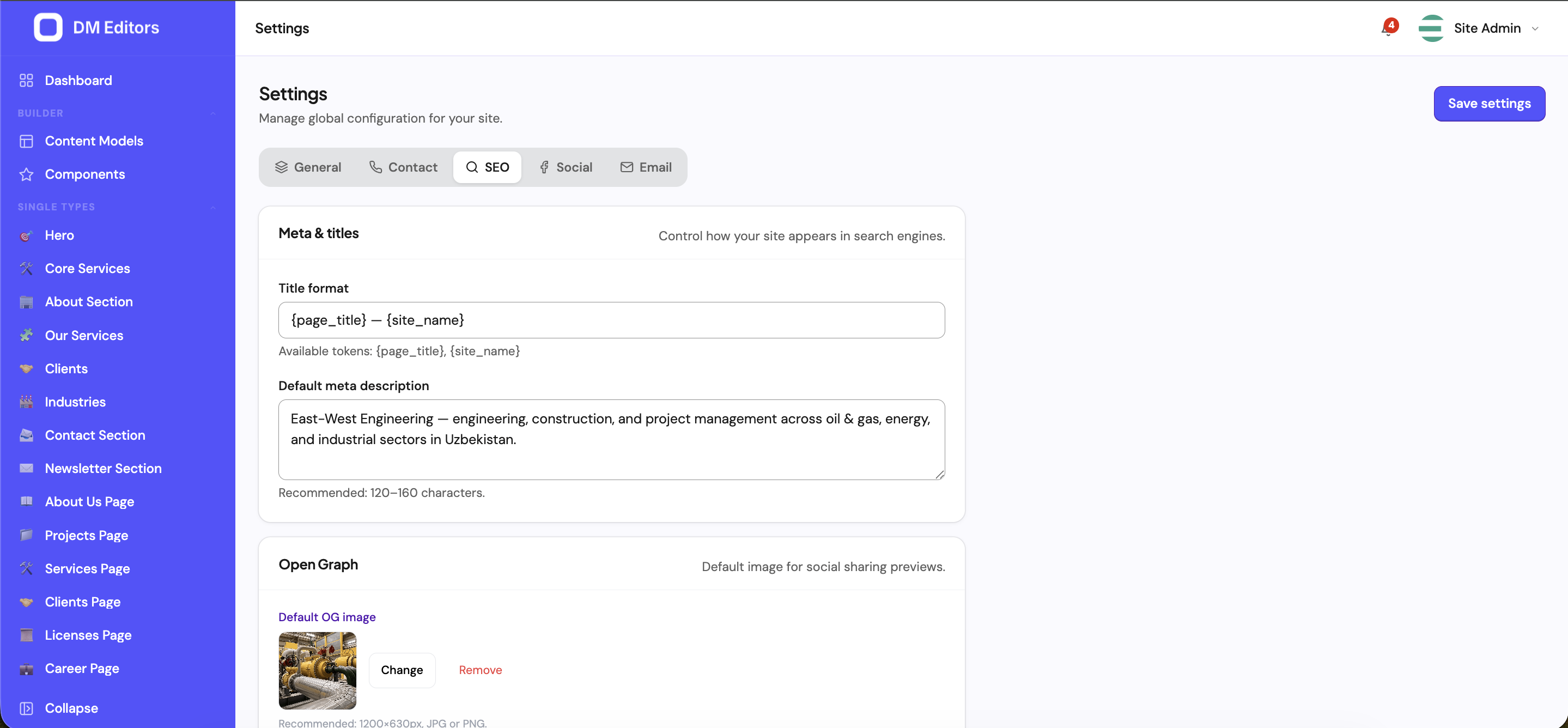
SEO defaults
Reasonable defaults so editors don't have to remember to fill SEO on every entry.
- Default meta title pattern — e.g.
{entry_title} — Your Brand.{entry_title}is replaced per entry. - Default meta description — used when an entry doesn't override it.
- Default OG image — fallback social card image.
- Robots — index, noindex, etc. Default is index for live sites.
Social links
The URLs your frontend's footer / share buttons read. Just paste your full profile URLs:
- Twitter / X
- YouTube
- GitHub
- Custom (any extra link)
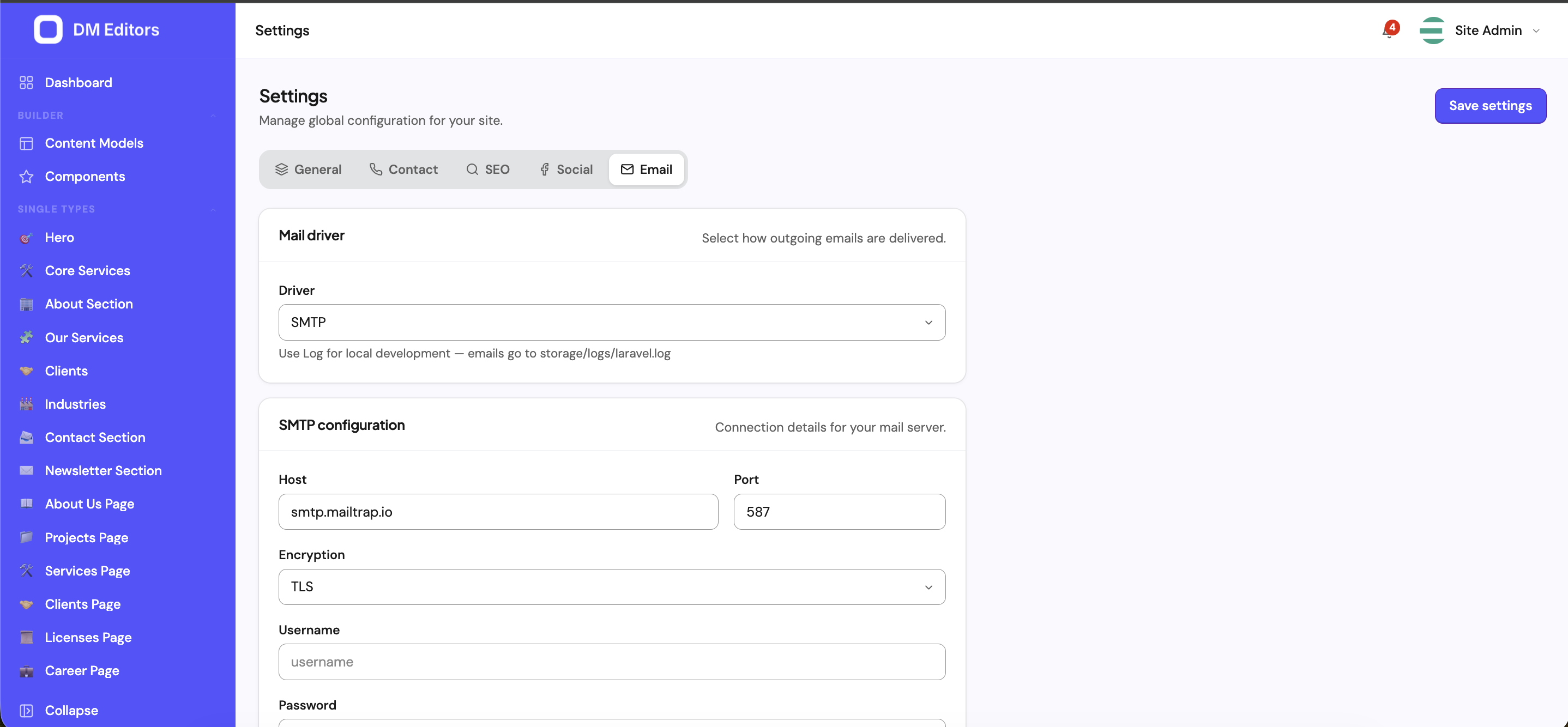
Email (SMTP)
Required for password resets, form notifications, webhook alerts. Settings vary by provider — your developer or IT will usually fill this in once.
- Host / Port — from your provider.
- Username / Password — SMTP credentials.
- Encryption — TLS or SSL.
- From address / From name — what recipients see.
Media defaults
- Max upload size — capped by your hosting too; 50 MB is a reasonable default.
- Allowed types — comma-separated list of MIME globs (e.g.
image/*,video/mp4,application/pdf). - Image quality — JPEG compression for auto-generated derivatives (default 80%).
- Max width — derivatives wider than this get downscaled.
Integrations
- Google Analytics / Plausible ID — pasted in your frontend by the developer.
- reCAPTCHA secret — for spam-protected forms.
- Sentry DSN — error tracking.
- Custom code — head / body snippets (cookie banners, chat widgets) the frontend can read from the public settings endpoint.
Translatable settings
Some settings (site name, tagline, default meta title) can be translated per language. When you turn on a non-default language, those fields gain a small flag icon — click it to provide the translation.
What gets exposed publicly?
A safe subset of settings (site name, logo, favicon, social links, default SEO) is exposed via the public API at /api/v1/settings. Secrets — SMTP passwords, reCAPTCHA secrets, Sentry DSN — are never exposed.
Next steps
If you publish in multiple languages, add them now.