Connect a Frontend
An API key is the password your website (or app) uses to fetch content from DM Editors. Generate one, lock it down, hand it to your developer.
One key per environment
Best practice: separate keys for separate places. That way if one leaks, you can revoke it without breaking the others.
- Website Production — read-only, broad CORS allowlist.
- Website Staging — read-only, staging origin only.
- Mobile App — read-only, no CORS (apps don't have an origin).
- CI / Static Build — read-only, no CORS, short-lived.
- Admin Sync Tool — read + write, locked to a single IP if possible.
Create a new key
-
Open API Keys
Click API Keys in the sidebar, then New key.
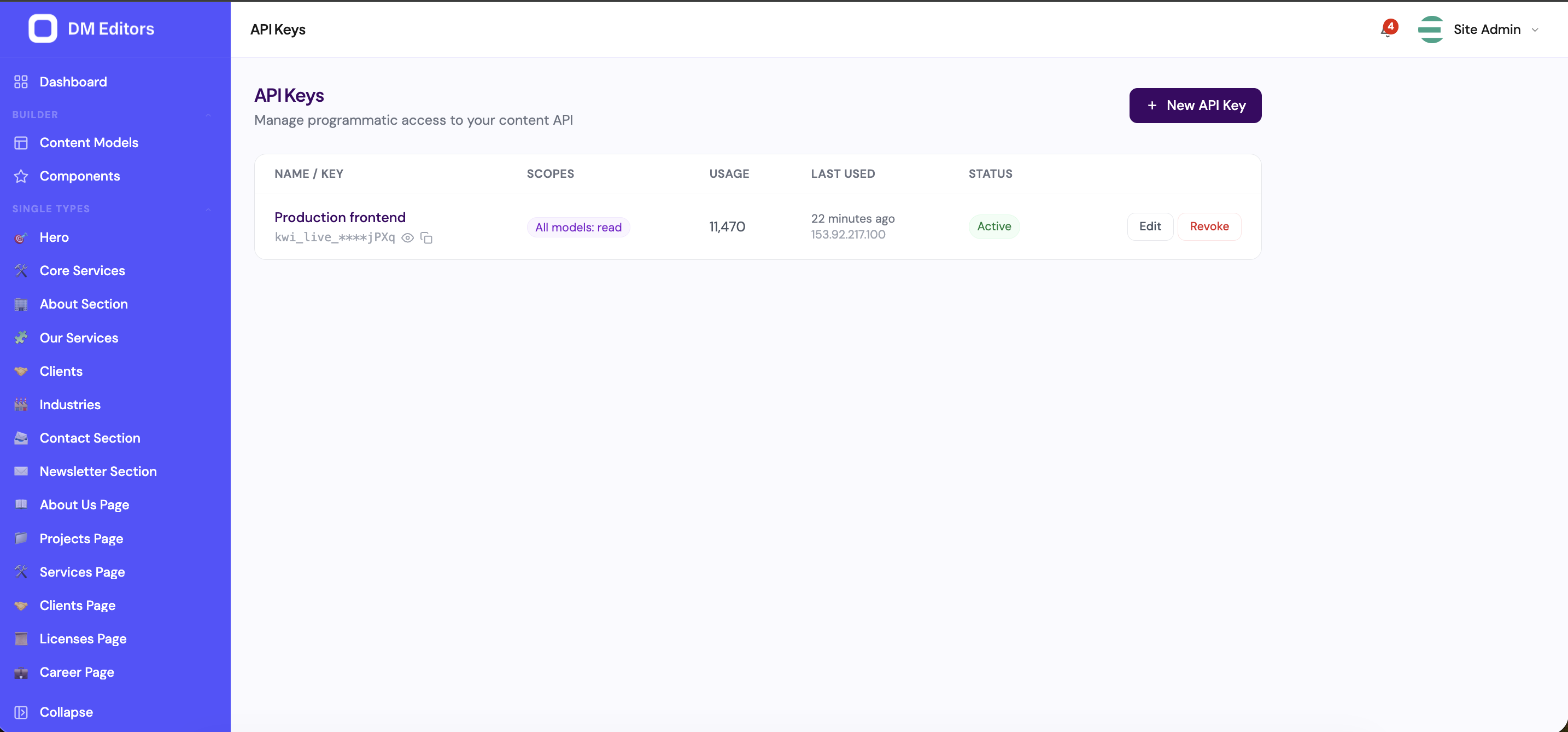
The API Keys list. - Name the key Use a clear name ("Website Production", "Newsletter Sync"). Future-you needs to know what it does.
-
Pick scopes
Tick what this key is allowed to do:
- Read — fetch content. Almost always yes.
- Write — create or update entries. Only for trusted automation.
- Delete — remove entries or media. Only for cleanup scripts.
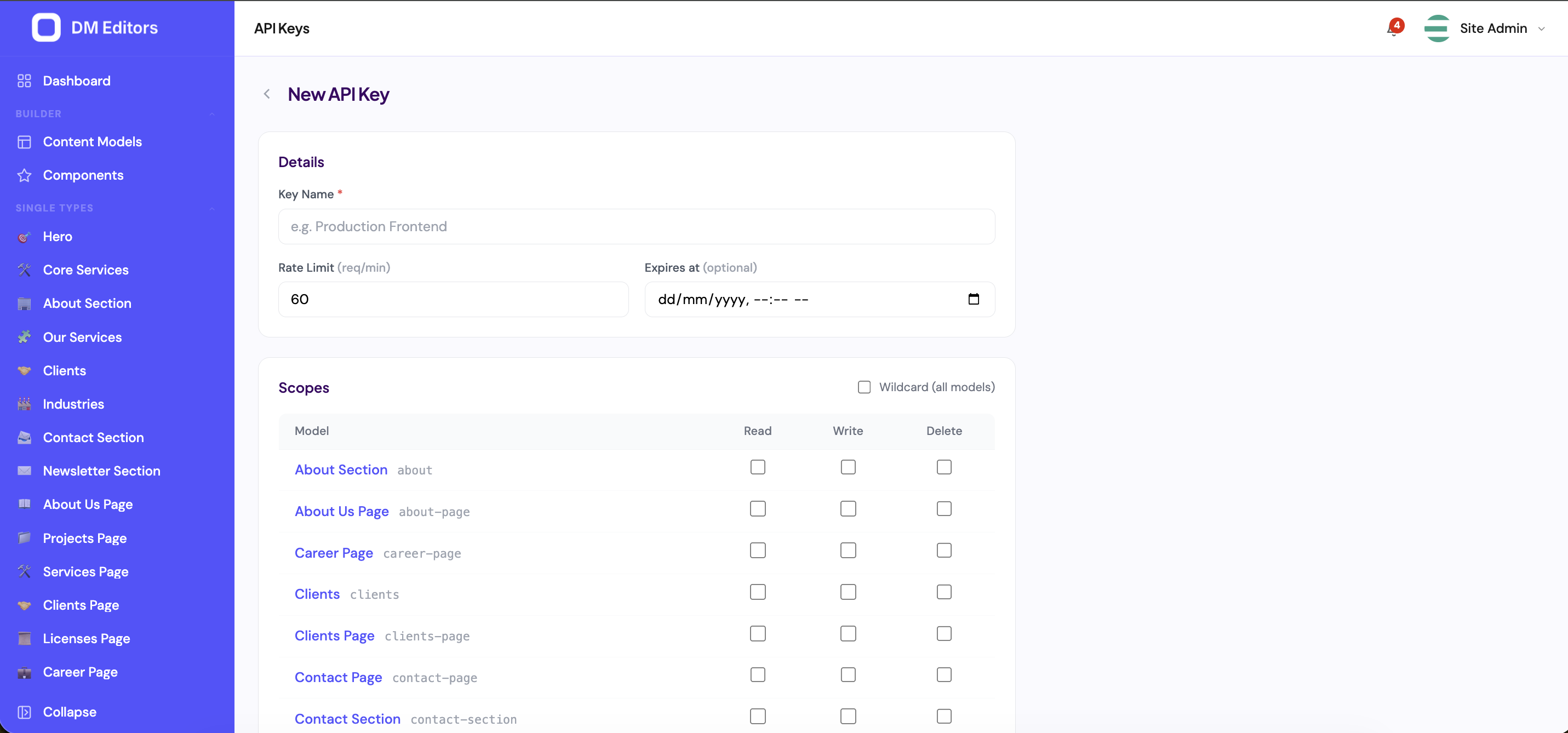
Creating a new API key with per-model scopes. -
Add allowed origins
One per line. Example:
Usehttps://yourcompany.com https://www.yourcompany.com https://*.yourcompany.com*only if absolutely necessary. For server-side and mobile clients, leave the list empty. - Set a rate limit Requests per minute. Default 60 is fine for most websites. Bump it for high-traffic frontends or static builds.
- (Optional) Pick an expiry date Useful for short-term integrations or seasonal campaigns. The key stops working at that time.
-
Click Create
The created key appears here with its masked value and copy button. - Copy the secret immediately It is shown only once. Paste it into your password manager or directly into the developer's deployment secrets.
The secret is only shown onceIf you lose it, you can't retrieve it — you'll need to delete the key and create a fresh one.
Share with your developer
Hand them three things, securely:
- The API URL (e.g.
https://cms.yourcompany.com/api/v1). - The API key (the public part).
- The API secret (the one-time string).
Use 1Password, Bitwarden, or another secret manager. Never email these together.
Monitor usage
Open any key from the list to see its activity:
- Last used at + IP.
- Lifetime request count.
- Recent requests (endpoint, status, response time).
Rotate or revoke
- Rotate — when a secret may have leaked. Create a new key with the same scopes, give it to your developer, wait until traffic switches over, then delete the old key.
- Revoke — delete the key from the list. Any client still using it will start getting
401 Unauthorizedimmediately. - Pause — flip the active toggle off. Useful for temporary lockdowns. Flip it back on to resume.
When in doubt, revokeIf you suspect a leak, revoke first and rotate. A few minutes of frontend downtime beats unauthorized writes.
Next steps
Want to notify Slack, Zapier, or a custom service when content changes? Set up a webhook.