Track Activity
Who changed what, and when. The activity log is your audit trail — useful for compliance, troubleshooting, and answering "wait, what happened to that post?"
Open the activity log
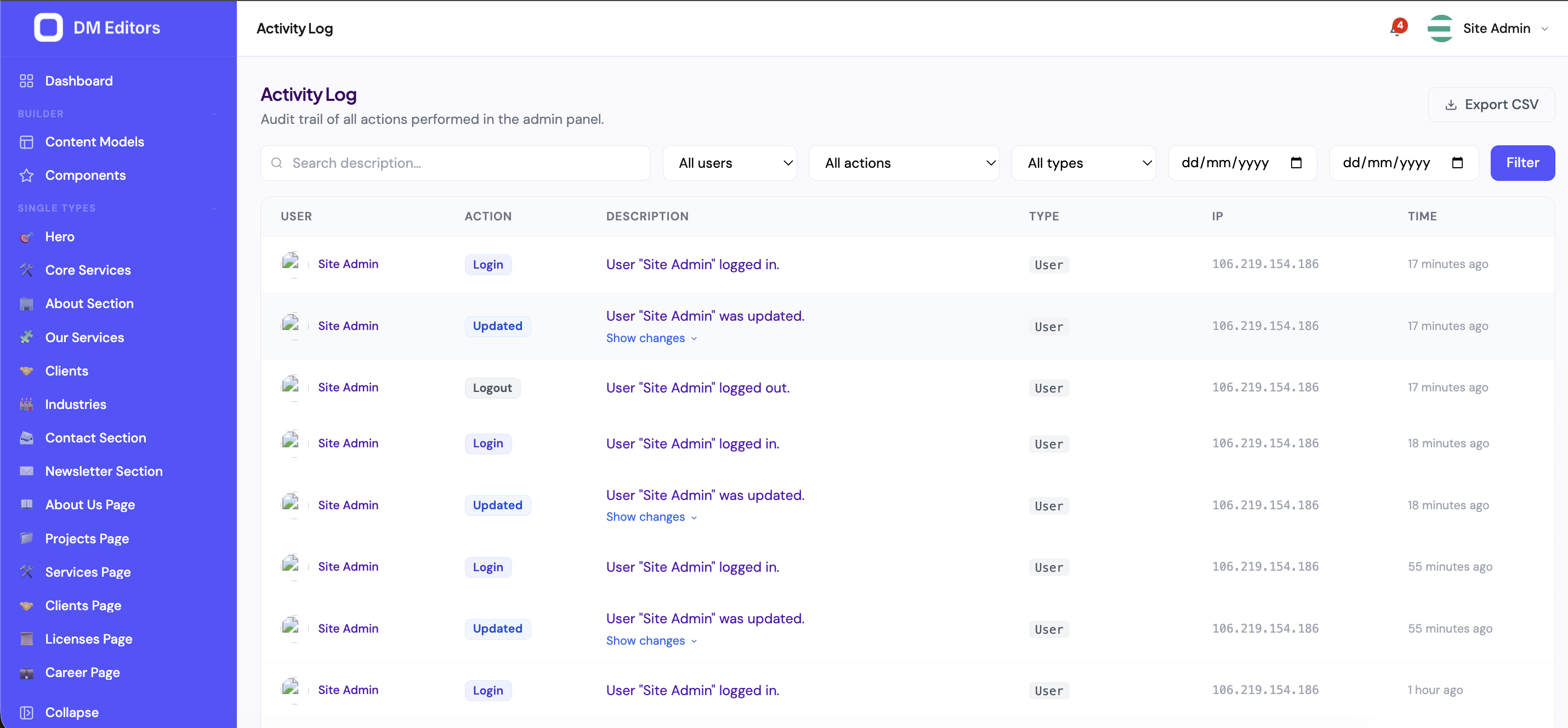
Click Activity in the sidebar. You'll see a chronological list of recent events.
What's logged
Pretty much everything that matters:
- Entry created / updated / deleted / published / unpublished / restored.
- Media uploaded / replaced / deleted.
- Content model created / updated / deleted.
- User created / updated / role changed / deleted.
- Role permissions changed.
- Settings updated.
- API key created / revoked.
- Webhook created / deleted / paused.
- Login / logout / failed login.
Read an event
Each row shows:
- Who — actor name + avatar.
- What — the action verb.
- What it was done to — clickable link to the subject.
- When — relative time (e.g. "2 hours ago"), absolute on hover.
- From where — small label: Admin or API.
Click any row to expand the diff — exactly which fields changed and the before/after values.
Filter to find what you need
- By date Use the date picker — last 24h, 7d, 30d, or custom range.
- By actor Multi-select one or more team members to see only their changes.
- By subject type Click the chip group — Entry, User, Media, Setting, Form, Role, API Key.
- By action Created, updated, deleted, published, login, etc.
- Free-text search Type the title of the affected entry, or part of a user's name.
Common scenarios
"The homepage looks wrong — who changed it?"
- Open Activity.
- Subject type filter: Entry.
- Search: "homepage".
- Date: Last 24h.
- Click the most recent event to see the diff. To revert, open the entry's Revisions panel and restore the prior version.
"Did anyone log in over the weekend?"
- Action filter: Login.
- Date: custom range over the weekend.
- Review the actors and source IPs.
"Who deleted the team photo?"
- Subject type: Media.
- Action: Deleted.
- Search: file name fragment.
Activity vs revisions
These are complementary:
- Activity log tells you who did what, when.
- Revisions let you see and restore the entry's state at any point in time.
For a clean rollback, find the change in Activity, then jump to the entry's Revisions panel and restore.
Retention
By default, activity is kept indefinitely. Your administrator can configure a retention policy (e.g. prune after 180 days) for high-volume installations.
You're done!
That's the full tour. From here, the best way to get fluent is to use it. Publish a post, build a form, invite a teammate — come back to the manual when you hit something new.